"Our first shop in Osaka opens in three months. Can people find it on Google Maps before then?"
"We set up our profile, but we are not sure what customers will see before the opening day."
When a company from outside Japan opens its first location here, the weeks before opening are busy, and Google is easy to leave until the last minute.
However, Google Business Profile has a feature made for exactly this stage.
Here is the short answer.
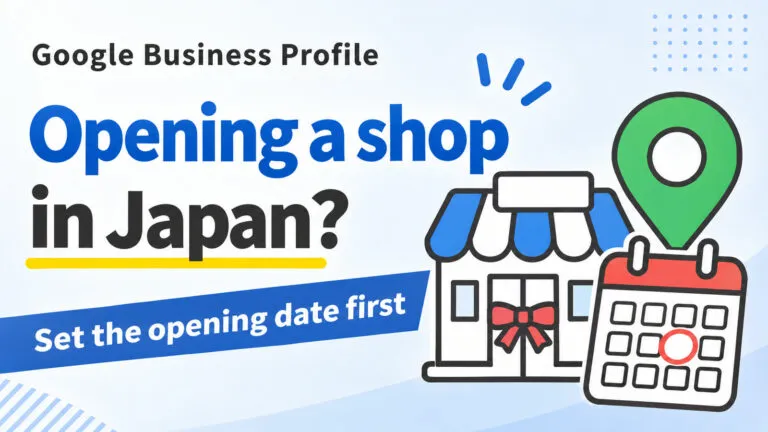
You can enter an opening date up to one year ahead, and once your business is verified, your profile appears on Google 90 days before that date.
This gives you up to three months to tell people in Japan where and when you will open.
The work is to make sure the profile, the shop and your Japanese website all say the same thing by then.
What this article covers
- How the opening date works on Google Business Profile
- What customers can and cannot see before you open
- When to set the date and when to verify
- Preparing the profile for opening day
- Preparing your Japanese website for opening day
How the opening date works on Google Business Profile
Google lets a business create a profile before it opens, so that people know when it will open at its address.
The opening date is the setting that controls this.
The rules for the date
Google's help page sets out three points.
- Only the year and month are required, so you do not need to fix the exact day yet.
- You can enter a date up to one year in the future.
- After you enter the date and verify your business, your profile shows up on Google 90 days before the opening date.
The last point is the one to plan around.
Entering a date is not enough on its own, because the profile also needs to be verified before it appears.
How to set it
The steps are short.
- Go to your Business Profile.
- Select "Edit profile."
- Next to "Opening date," select Edit.
- Enter the required fields, then select Save.
If your opening moves, update the date in the same place.
Businesses that are already open can also add the date they first opened.
Google says the opening date may be used in some places on Search to show how many years a business has been operating.
What customers can and cannot see before you open
From 90 days before the opening date, your profile can appear on Google, and you can start talking to customers through it.
Google names three features for this period.
- Posts: announce your opening, share updates, or offer an opening day discount or coupon.
- Photos: show the progress of your location, from construction to opening day.
- Business description: explain what your business is about, in your own words.
There is also something customers cannot do yet.
Until your business is officially open, users cannot suggest edits to your business information, and they cannot post reviews or photos on your profile.
Google explains that this is to keep inaccurate information off Google.
So before opening, everything on the profile comes from you, and it is worth making every part of it accurate.
After opening day
Once your business opens, your profile shows a "Recently opened" tag on Google for 90 days.
From that point, customers can leave reviews and suggest edits like on any other profile.
This means the first three months after opening are when your profile is new and visible, so it helps to have the basics in place before the day.
When to set the date and when to verify
For a foreign company, the tricky part is the order of the steps.
The profile only appears after verification, but verification depends on the location itself.
Signage comes before verification
Google's guidelines say that businesses showing their address on Google should keep permanent fixed signage with the business name at that address.
If Google asks for a video to verify a storefront, the business name must be clearly printed on a permanent fixture, such as a signboard, a wall or a window.
During a shop fit-out, the sign is often one of the last things to go up.
So a sensible plan is to create the profile and enter the opening date early, then request verification once the sign is installed.
The verification methods, and how to prepare for each, are covered in our article on getting a Google Business Profile verified in Japan.
Work back from the opening date
Because the profile appears only after verification, it helps to finish verification well before the 90-day point if you want customers to see it for as long as possible.
That depends on how early your sign is up and someone in Japan can respond to Google.
If the sign goes up later, the profile will still appear, but for fewer days before opening.
Plan the signage date with this in mind, and keep someone available in Japan during that period.

Preparing the profile for opening day
Before the profile becomes visible, check that each part of it is ready for Japanese customers.
These points follow from Google's own guidelines and editing rules.
Business name and category
Enter the name exactly as it appears on your sign, in one language.
Choose the category with care too, because it shapes how Google understands your business.
Our article on choosing a Google Business Profile category in Japan explains how to pick one.
Business description
The description is one of the features Google suggests using before opening.
It can be up to 750 characters, and it should not include URLs or HTML code.
Write it in Japanese for Japanese customers, and say what you offer and when you open.
After opening, update any wording that still says "opening soon."
Photos and posts
Photos of the fit-out and a post announcing the opening date give people a reason to save your profile.
An opening day offer in a post can bring the first visitors through the door.
Keep the photos to what customers will really see, and replace progress photos with finished ones once you open.
Hours and phone number
Set the hours you will keep from the first day.
Google asks for a phone number that connects to the individual location, or a website that represents it.
If the Japanese phone line is not ready yet, it is worth arranging it before the profile appears, because customers will try to call.

Preparing your Japanese website for opening day
Customers who find your profile will often check your website next.
If the website is still the overseas brand site in English, it may not answer the questions a Japanese customer has before visiting.
Add the website link to the profile
The profile has a website field, and Google asks for the full URL, including "https://".
Link to a page about this location, not only to the global home page.
Publish a page for the new location
A simple page in natural Japanese is enough to start.
It should show the opening date, the address written in the Japanese way, a map, hours, the phone number and how to get there from the nearest station.
Add a few photos of the shop as soon as you have them.
Keep everything consistent
Google's guidelines ask businesses to be represented the same way they are known in the real world, across signage, stationery and other branding.
So the name, address, hours and opening date should match on the sign, the profile and the website.
If the opening date changes, update the profile, the website and any posts on the same day.

Frequently asked questions
Here are short answers to three questions that often come up before an opening.
Q. We do not know the exact opening day yet. Can we still set a date?
Yes.
Only the year and month are required, so you can enter the month now and add the day later.
Q. Can customers leave reviews before we open?
No.
Google does not let users post reviews or photos, or suggest edits, until the business is officially open.
Q. Our opening is more than a year away. What should we do now?
The date can only be set up to one year ahead.
In the meantime, prepare your Japanese website, your sign plan and your profile details, and set the date once it is within a year.
Summary: set the date early, verify when the sign is up
The opening date feature gives a new location in Japan up to 90 days of visibility before opening day.
To recap:
- You can set an opening date up to one year ahead, and only the year and month are required.
- Your profile appears on Google 90 days before the date, but only after the business is verified.
- Before opening, only you can add content, and the "Recently opened" tag shows for 90 days after you open.
- Install the permanent sign early, because verification depends on it.
- Have a Japanese page for the new location ready, and keep the name, address, hours and date the same everywhere.
The profile tells people that you are coming, and the website answers their questions before they visit.
Preparing both together is the simplest way to start well in Japan.
Need a website that works for customers in Japan?
Onur Mark is based in Osaka, Japan.
We build and improve websites for businesses that sell to Japanese customers, written in natural Japanese and set up for Japanese search.
If you are preparing to open in Japan, send us a short note and we will reply by email.